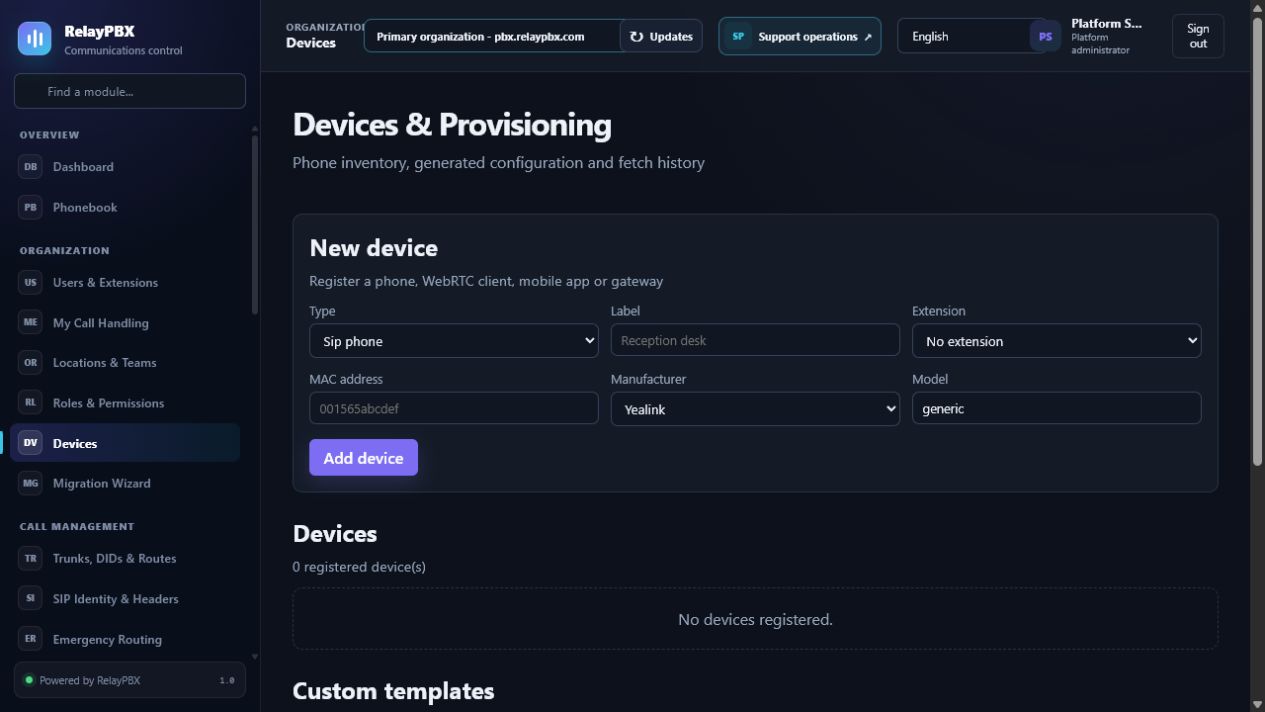
Register the device
Create the extension first, then add a SIP phone with its label, normalized MAC address, manufacturer, exact model and transport. The listed family profiles are RelayPBX-owned templates; model and firmware certification still requires a physical-device test.
Use the one-time bootstrap address
RelayPBX displays the secure provisioning URL only when it is created or rotated. Store it in the phone, an approved DHCP option or the vendor redirection service. Do not paste it into ordinary email, screenshots or support tickets.
- Preview the rendered file as a tenant administrator before the first fetch.
- Require HTTPS and the canonical MAC-specific vendor filename.
- Rotate the URL after suspected disclosure and verify the old address returns 404.
- Check Provisioning history for result, source IP and safe error detail.
Certify the phone
A generic template is a compatibility starting point, not a certification claim for every firmware release.
- Factory-reset and fetch the configuration twice.
- Verify SIP registration on the selected transport.
- Test inbound/outbound audio, RFC 4733 DTMF, hold/MOH, transfer and voicemail.
- Record manufacturer, exact model and firmware version in the acceptance evidence.